

Collection
Cosmetics
Customize how your profile looks, and where to find new cosmetics.
Copied
Cosmetics change how your profile card looks.
| Type | Command to equip it |
|---|---|
| Backgrounds | /profile background |
| Overlays | /profile overlay |
| Themes | /profile theme |
| Layers | /profile layer |
| Icons | /profile icons |
| Wanted posters | /profile wanted |
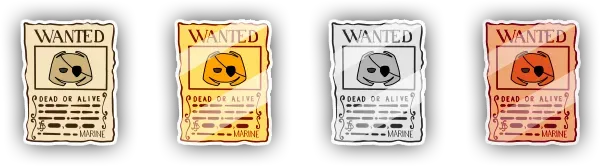
/profile customize opens a menu to change everything at once, with a preview of your profile. /inventory cosmetics lists everything you own.
/profile avatar switches your profile between your global Discord avatar and your server avatar.
A look is a saved combination of cosmetics. Save the one you are wearing, then switch between your looks in one click with /profile looks. A look skips any item you no longer own when you apply it. Premium unlocks more look slots.
Getting cosmetics
Section titled “Getting cosmetics” Lootboxes: most cosmetics come from lootboxes.
- Daily Cosmetic Shop:
/shop cosmeticssells a selection of cosmetics and titles that changes every day. Pay with sea shards or 💎 gems. A featured bundle groups several items for gems at a discount. You can preview an item on one of your saved looks before buying it.
 Mail: some rewards arrive in your mailbox, open it with
/mail.